A task is a piece of work that everyone in the space can follow. A person or an agent owns it.
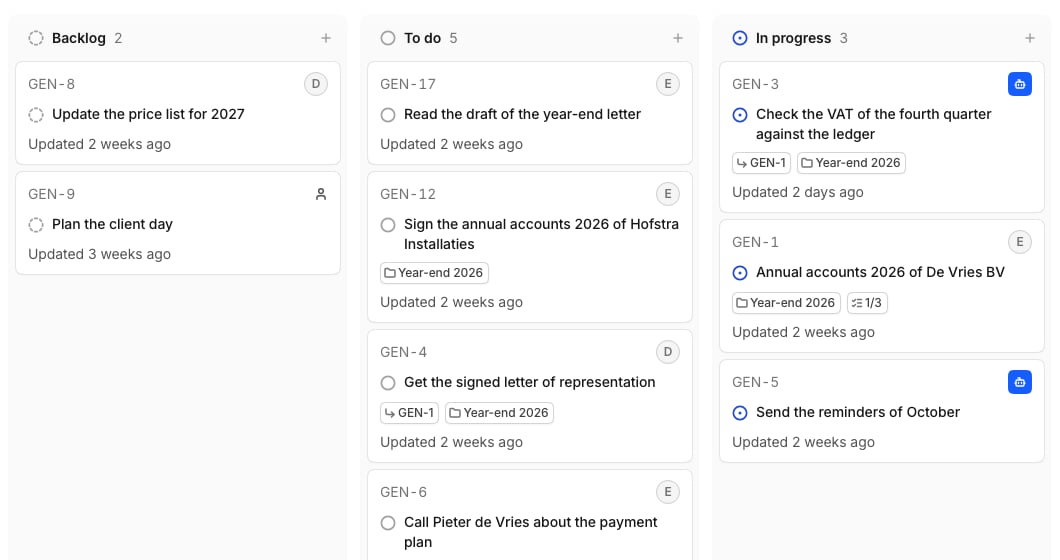
The Tasks page as a board, with a lane for each status and a card for each task
The Tasks page is a board with a lane for each status. Drag a card to change its status.

Create a task

Select Tasks in the sidebar, then New task. An agent starts working on its task right away. To ask a client or freelancer for something, see Tasks for a guest.

Let Temperate work on a task

Open a task of yours and select Let Temperate work on it, or ask in a chat: “Check these five engagement letters against the price list, one task each.” The task stays yours. Temperate asks in your Inbox before it changes something in a connected system. It works on up to 5 tasks at a time, and each one counts towards your usage.
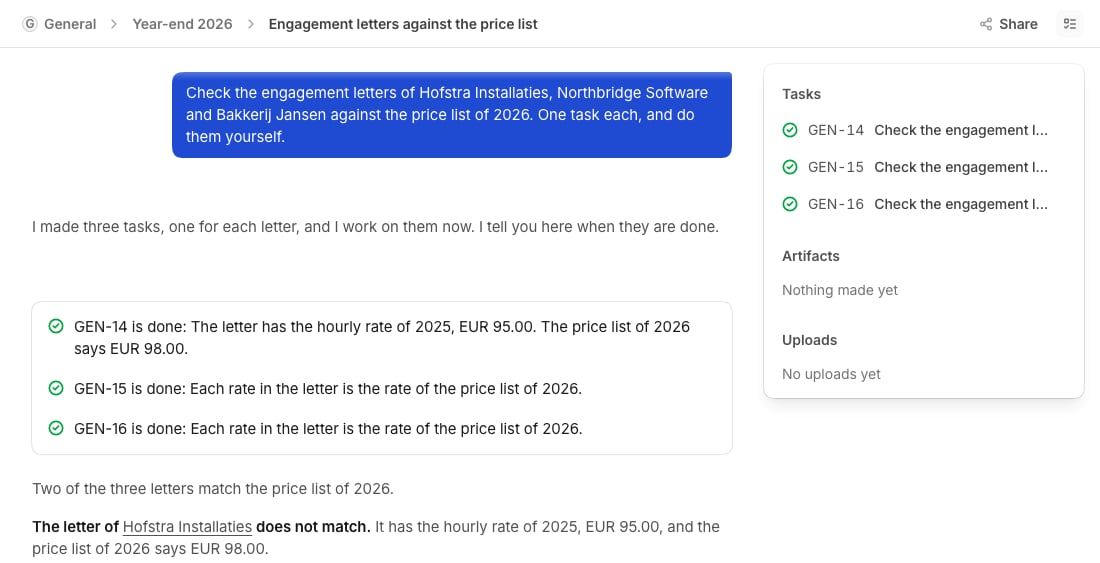
A chat with a block that has a row for each task that ended, one answer that puts the results together, and the tasks in the panel
The chat shows each result as the tasks finish, and then one combined answer. Ask “how far are they?” at any moment.

Follow a task

Open a task to see its goal and activity. To change a property, such as the status or owner, select it. To steer an agent, leave a comment. Select Open the run to see each step it took, and + next to Related to add a sub-task.
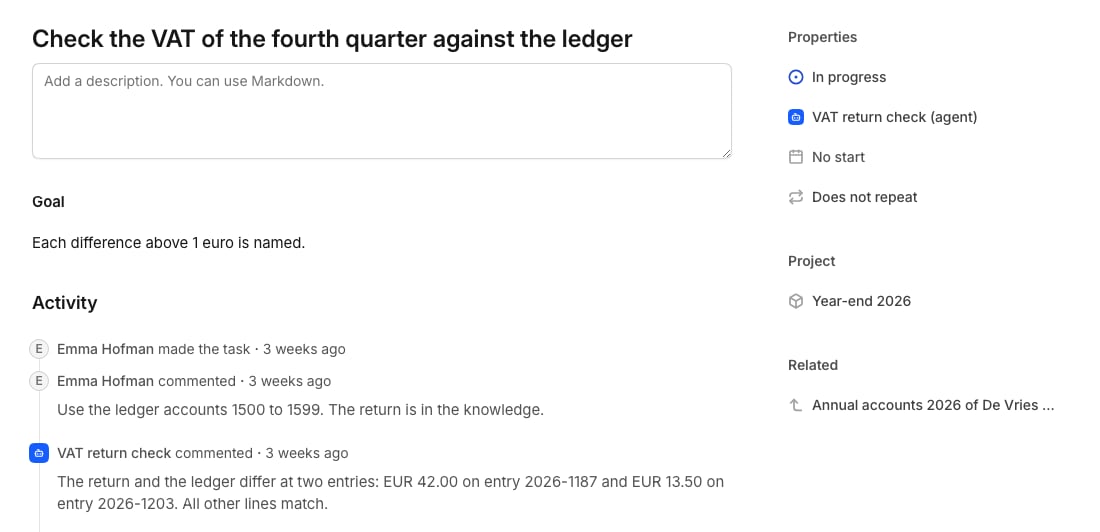
A task that an agent owns, with its goal, a comment of a person, the report of the agent, and its properties at the right
You get a notice in your Inbox when work you gave away finishes or needs you.

Statuses

To change the statuses and the task prefix of a space, open Settings, then Tasks. You need to manage the space.

Delete a task

Open the task and select the bin at the top.