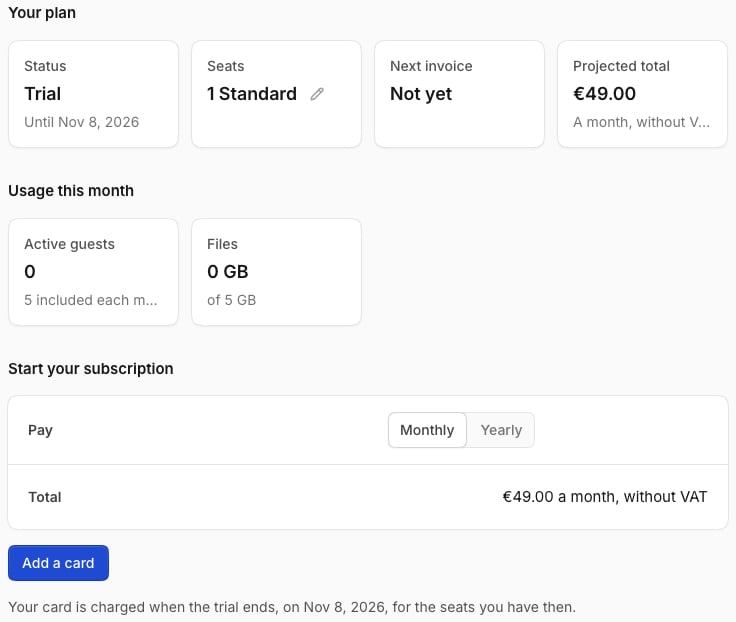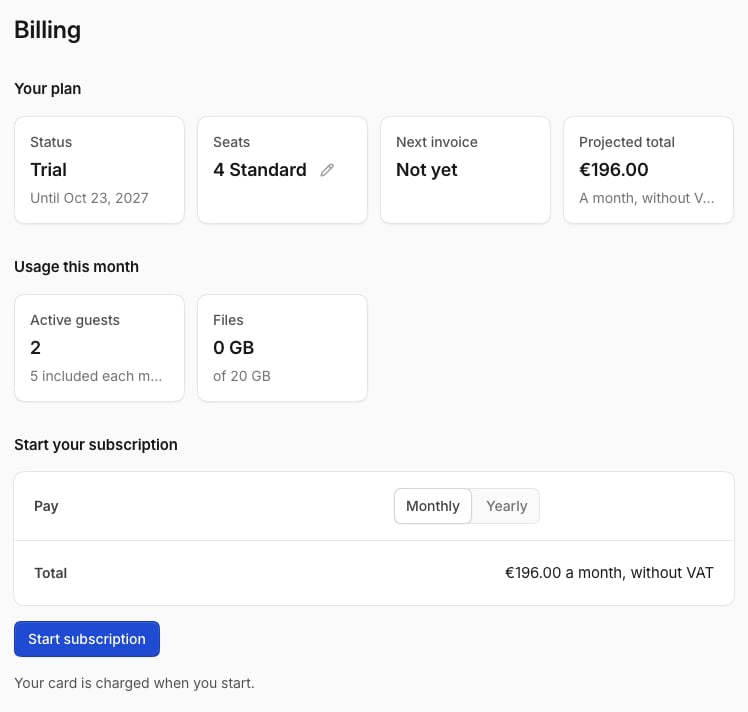
Open the menu at your picture, select Settings, then Billing. You need the permission Manage the organization.
The billing page

Seats

Each member has a seat with a level: Standard, Grow or Max. Guests don’t need a seat. People can have different levels. To change a level, open Members and select their seat. Your subscription follows automatically.

Start a subscription

  1. Choose Monthly or Yearly.
  2. Select Start 14-day trial.
  3. Add a card.
The first 14 days are free, for up to 3 seats. If Temperate gave you a trial without a card, select Add a card before it ends.
The billing page during a trial from Temperate, with the button Add a card
Without a trial or subscription, nobody can start new chats. Work that’s running still finishes.

Usage this month

  • Active guests: guests who wrote or uploaded something this month. Some are included.
  • Files: all seats share one storage pool. Admins get an email at 80% and when it’s full.

Payment and invoices

Payment shows your card, and Invoices lists your invoices. Select Manage the subscription to change your payment method or billing details, or to cancel. A cancelled subscription runs until the end of the period you paid for. If a payment fails, select Pay the open invoice. Temperate keeps working in the meantime.