Profile
- Photo: a jpg, png or webp of up to 1 MB.
- Name and Email. A new email address needs confirming through a link.
- Time zone: so “tomorrow” means your tomorrow.
- Language: see Language.
Personalization
- Write chat titles automatically: turn this off to use the first words as the title.
- Guidance: tell Temperate about your role and how you like your answers. This only applies to you.
Notifications
Everything that needs you is in your Inbox. Under Notifications, choose what Temperate also tells you when you’re away.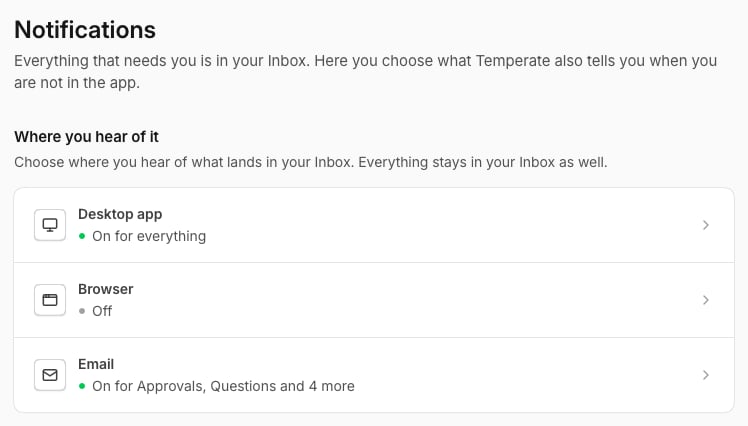
Password
Fill in your current and new password, and select Change password.Security
Two-factor authentication asks for a code from your phone when you sign in.1
Turn it on
Open Security and select Turn on.
2
Scan the code
Scan the QR code with an authenticator app, fill in the Code, and select Confirm.
3
Keep your recovery codes
Store them somewhere safe. Each one works once.
Theme
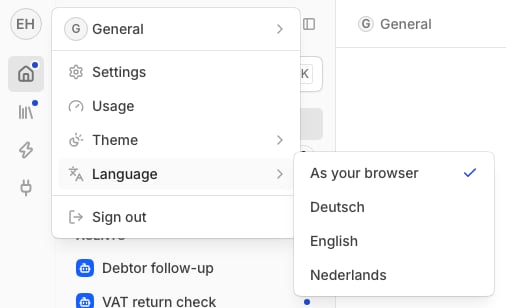
In the menu at your picture, open Theme and choose System, Light or Dark.Language
Temperate is available in English, Dutch and German. In the menu at your picture, open Language.