A guest is someone from outside your organization. They only see the tasks you give them and the files you share, and never your memory, team rules or agents.

Invite a guest to a space

1

Open People

Open Settings, then People under the name of the space.
2

Invite

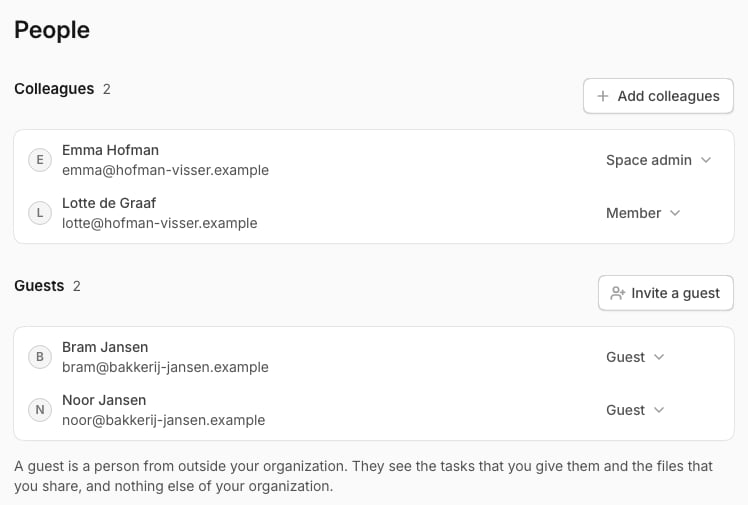
Under Guests, select Invite a guest, fill in Email, and select Send the invitation.
You need the permission Invite guests. You become their contact.
The People page of a space: the colleagues, and the guests apart from them
To set up a new space for a client, open the space switcher, select New space, and fill in Invite someone from outside.

Give a guest something

  • A task: see Tasks for a guest.
  • A file: on Knowledge, open a file’s menu and select Share with guests.
Everything a guest does shows in the audit trail. What a guest says in their chats can teach the memory of the space, unless the chat is private.

Remove a guest

On People, open the guest’s menu and select Remove from space. To take back an invitation, select Revoke.