

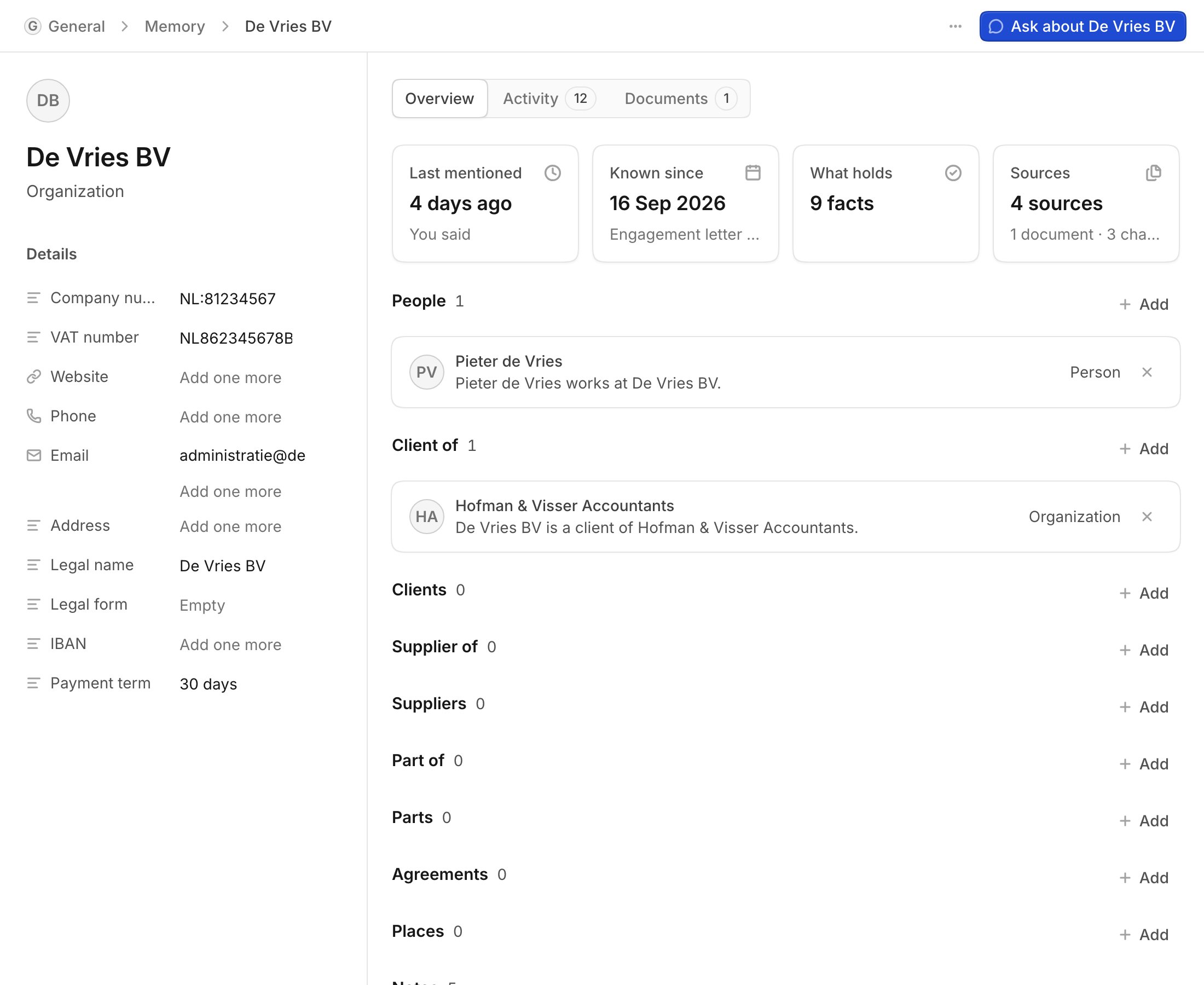
What Temperate remembers
Temperate keeps track of People, Organizations, Agreements and Places. Each one has:- Columns, such as a person’s role and email, or the clients of an organization.
- Notes, for everything else, such as a decision or an arrangement.
Use it in a chat
When a question is about someone Temperate knows, the answer uses what it remembers and shows From memory: with a link. To point at someone yourself, type @ and choose them from Memory. If Temperate doesn’t know something, it says so.Change a value
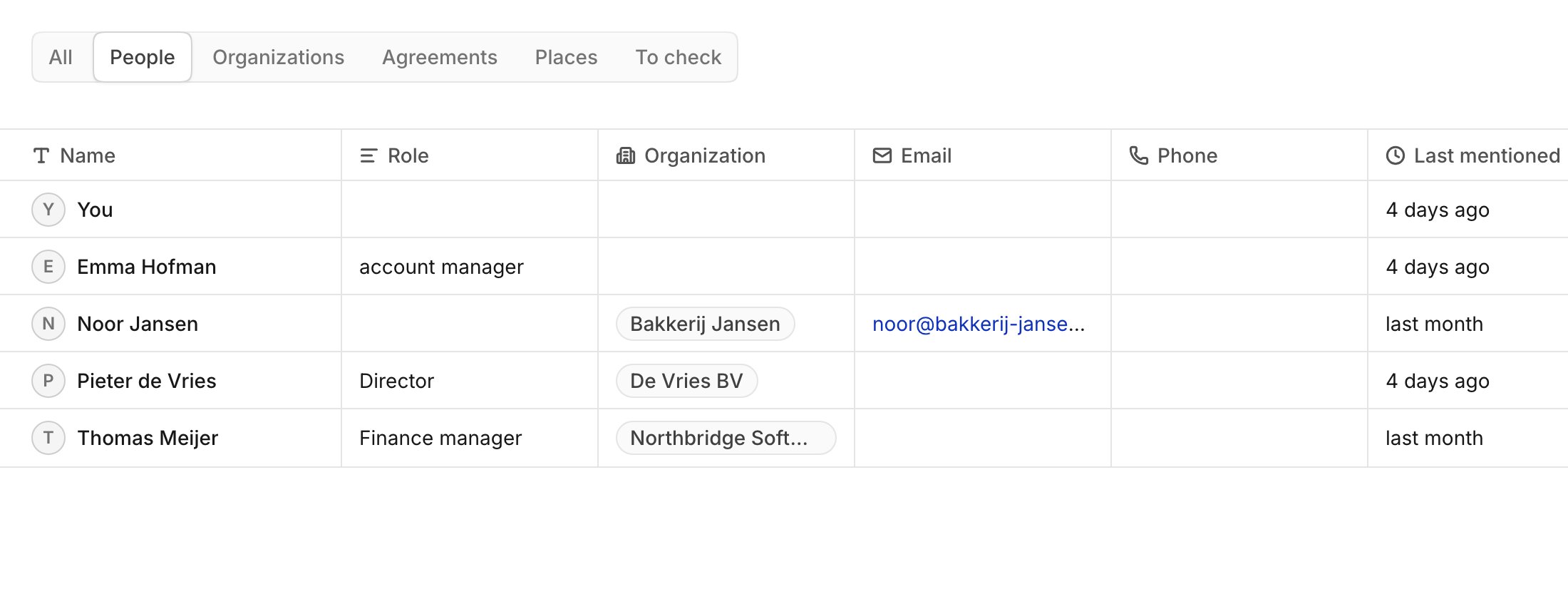
- Select a cell and start typing.
- Press Enter to save, or Escape to cancel.
Change the columns
Select a column header to sort, move, rename or hide the column. To add a column, select Add column at the end of the header. You can also add your own, such as Accounting software for organizations. Select Add column, then New column. Turn on Temperate fills this in, and Temperate fills it from new chats and documents. Each kind can have 10 columns of your own. Sorting is just for you. Other changes apply to everyone in the space, and need permission to manage its columns.Facts to check
A fact can go out of date. If nothing has confirmed it for 12 months, it shows Not confirmed since, and the To check tab lists it. Say it again in a chat, correct it, or forget it.Merge duplicates
Temperate treats Bakker BV, Bakker B.V. and Bakker as one company. If someone still appears twice, open one of them, select Merge with another subject… in the menu at the top, and pick the other. You need permission to manage knowledge. A merge can’t be undone.Make Temperate forget
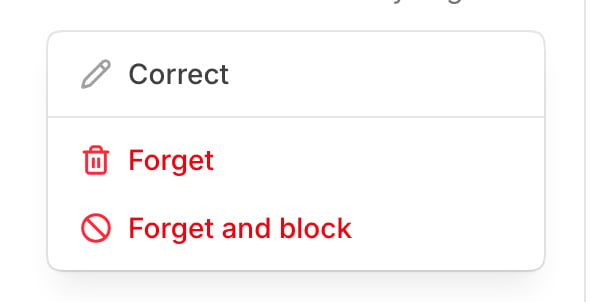
You can do this for facts you taught. People who manage knowledge can do it for any fact a chat taught. Blocked items are listed under Blocked, where you can select Allow again.
Forgetting doesn’t change earlier chats or your documents. If a document still says it, delete or change the document too.
Who sees what
- Everyone in the space sees its memory.
- Chats and files in a space teach the memory. To keep something out, use a private chat or a private file.
- Guests can add to the memory through their chats, but they can’t see it.