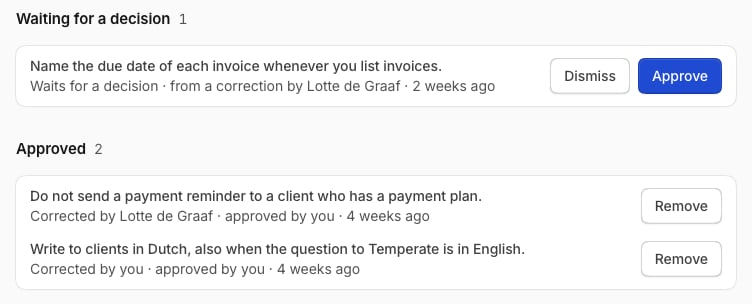
When Temperate does something your team doesn’t want, correct it once. After approval, every chat and agent in the space works that way. Open Library in the rail, then Team rules.
The team rules of a space, with one that waits for a decision and two that are approved

How it works

1

Correct an answer

Select Bad answer and write what was wrong: “De Vries BV has a payment plan. Never send a reminder to a customer with a payment plan.”
2

Temperate proposes a rule

The chat shows Proposed as a team rule. You can carry on working.
3

Someone approves it

People who manage the space see it in their Inbox. They can change the words, then select Approve or Dismiss.
Everyone in the space can read the team rules. To end a rule, select Remove beside it. Corrections in a private chat don’t create proposals, and guests’ chats don’t use team rules.